no demo call, no mockups
See what Arbor actually looks like
Every screenshot below is the real app, from one family’s account, taken in the middle of their school year. Two kids, twelve subjects, week 23 of 41, a few hundred lessons already taught.
EVERY MORNING
The day is already there
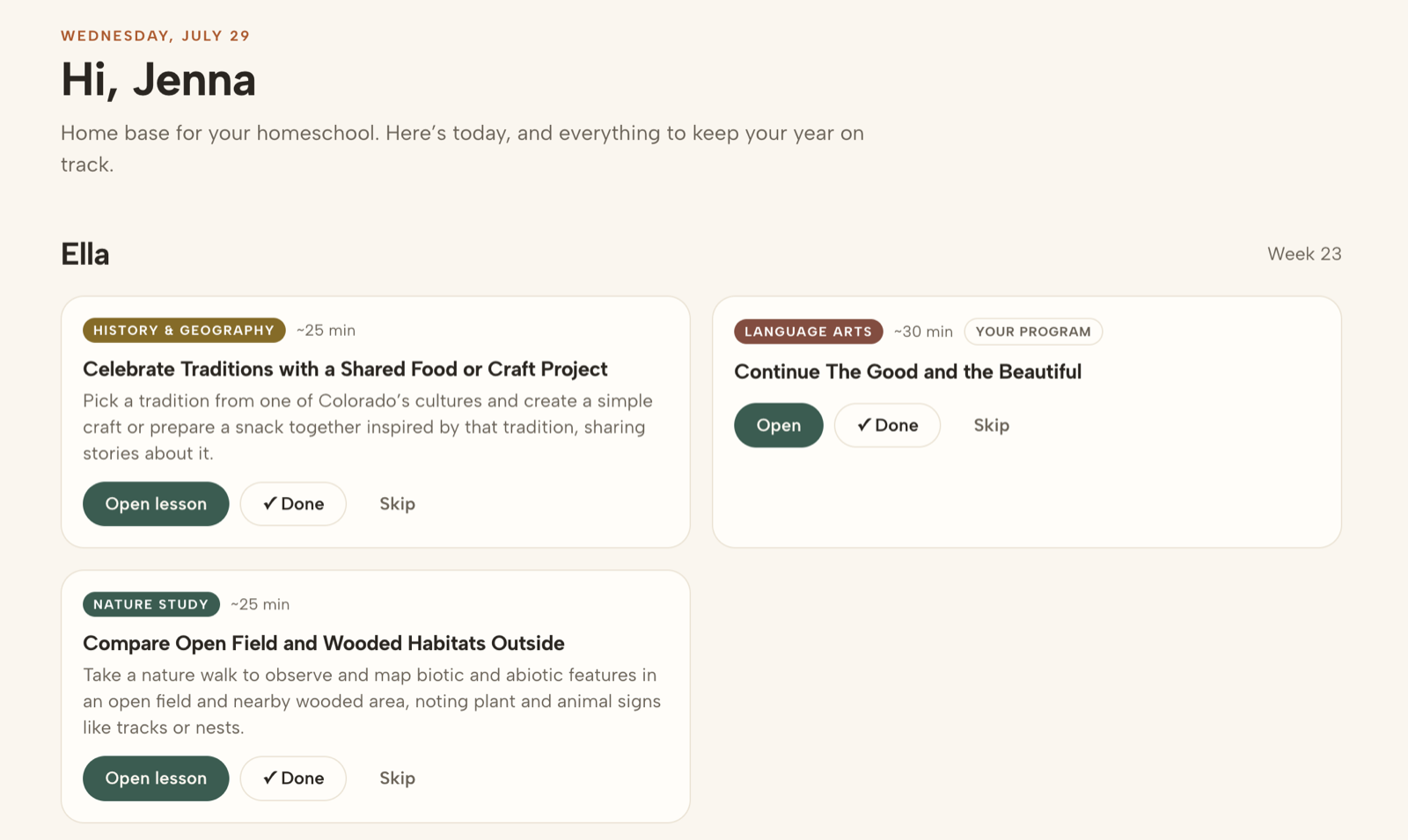
This is what you open with your coffee. Each kid's lessons for today, in the order to teach them, with how long each one takes.
Open a lesson and it tells you what to say and do, step by step, with a worksheet to print. Mark it done, add a score or a one-line note, and that is the record kept. The subjects you teach from your own curriculum sit in the same list, so nothing lives in two places.
SUNDAY NIGHT, OR NEVER
The whole week, and you can move any of it
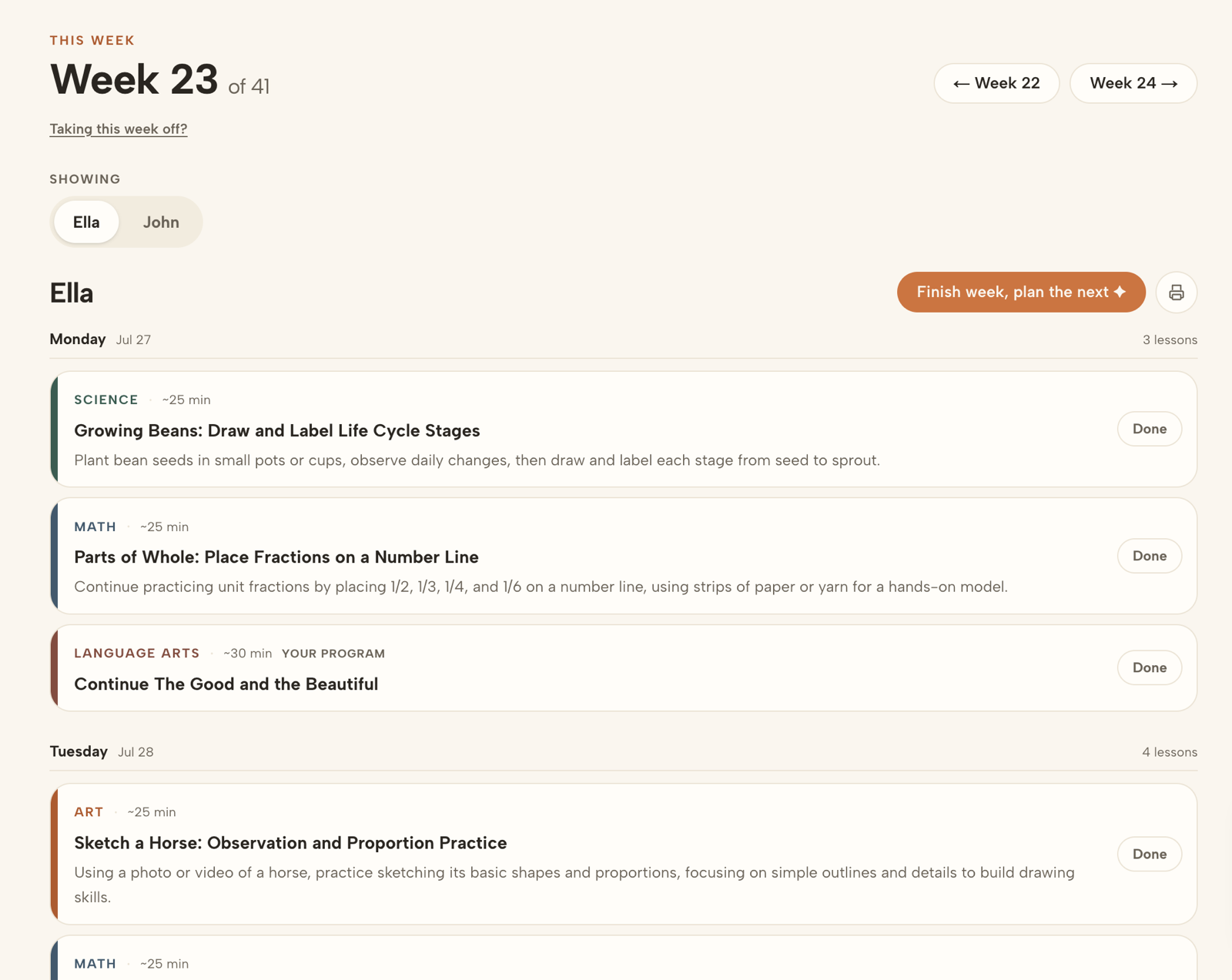
Week 23 of 41, laid out day by day for each child. Drag a lesson to another day, drop one you don't want, print the week for the fridge, or take the whole week off and let Arbor shift it.
When you finish a week, Arbor plans the next one around what actually happened, not around what it hoped would happen.
BUILT IN ABOUT TWO MINUTES
The whole year, subject by subject
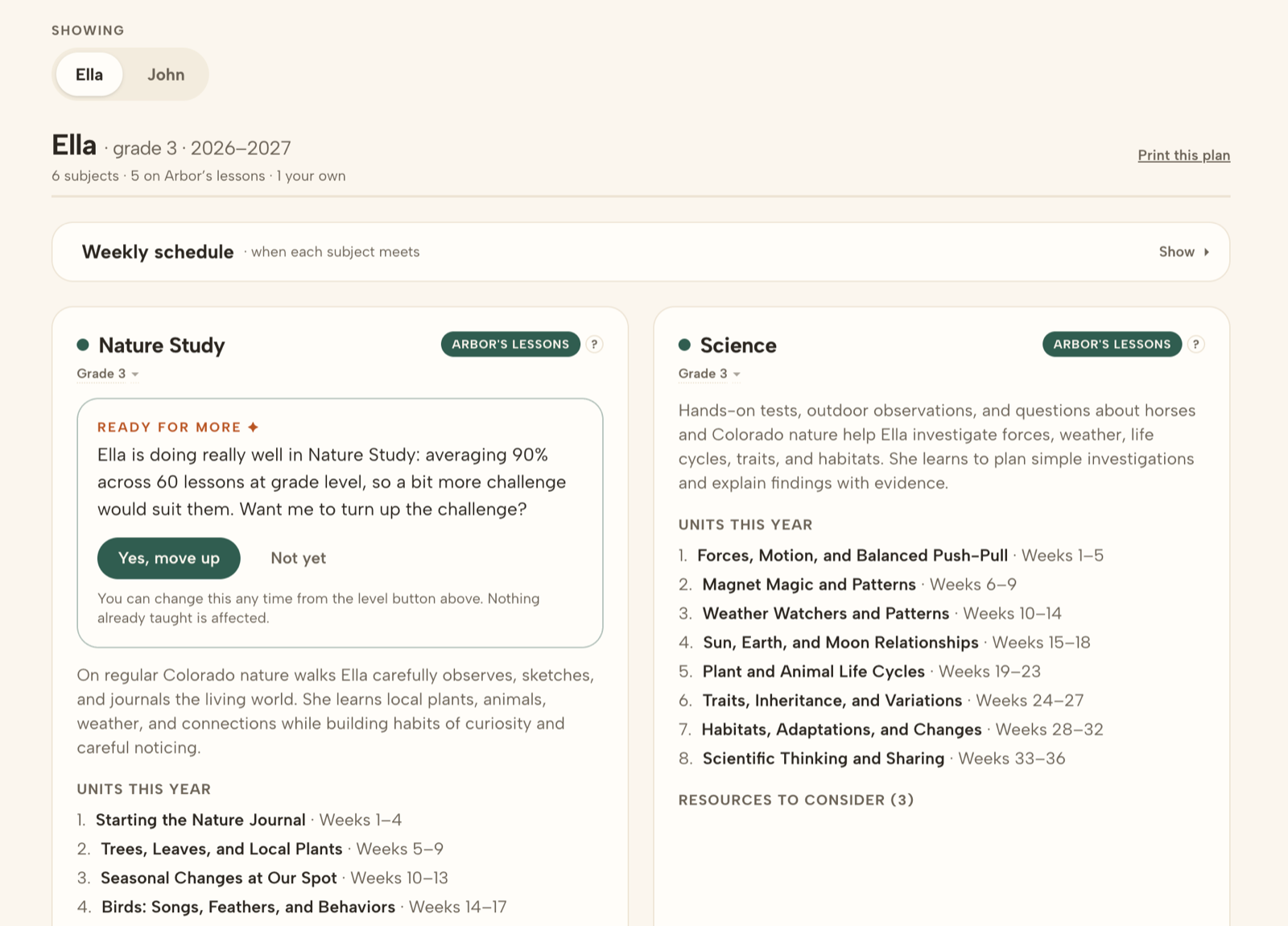
Every subject a child is doing, what it covers, and which weeks each unit lands in. This is the part you would otherwise spend a summer building, and it exists before you teach anything.
Each subject carries its own level, so a kid can be a year ahead in reading and taking their time in maths without either being a problem. Arbor watches how the work is actually going and says when someone looks ready to move up. Subjects you run from your own curriculum sit in the same plan, marked as yours, and Arbor schedules around them instead of over them.
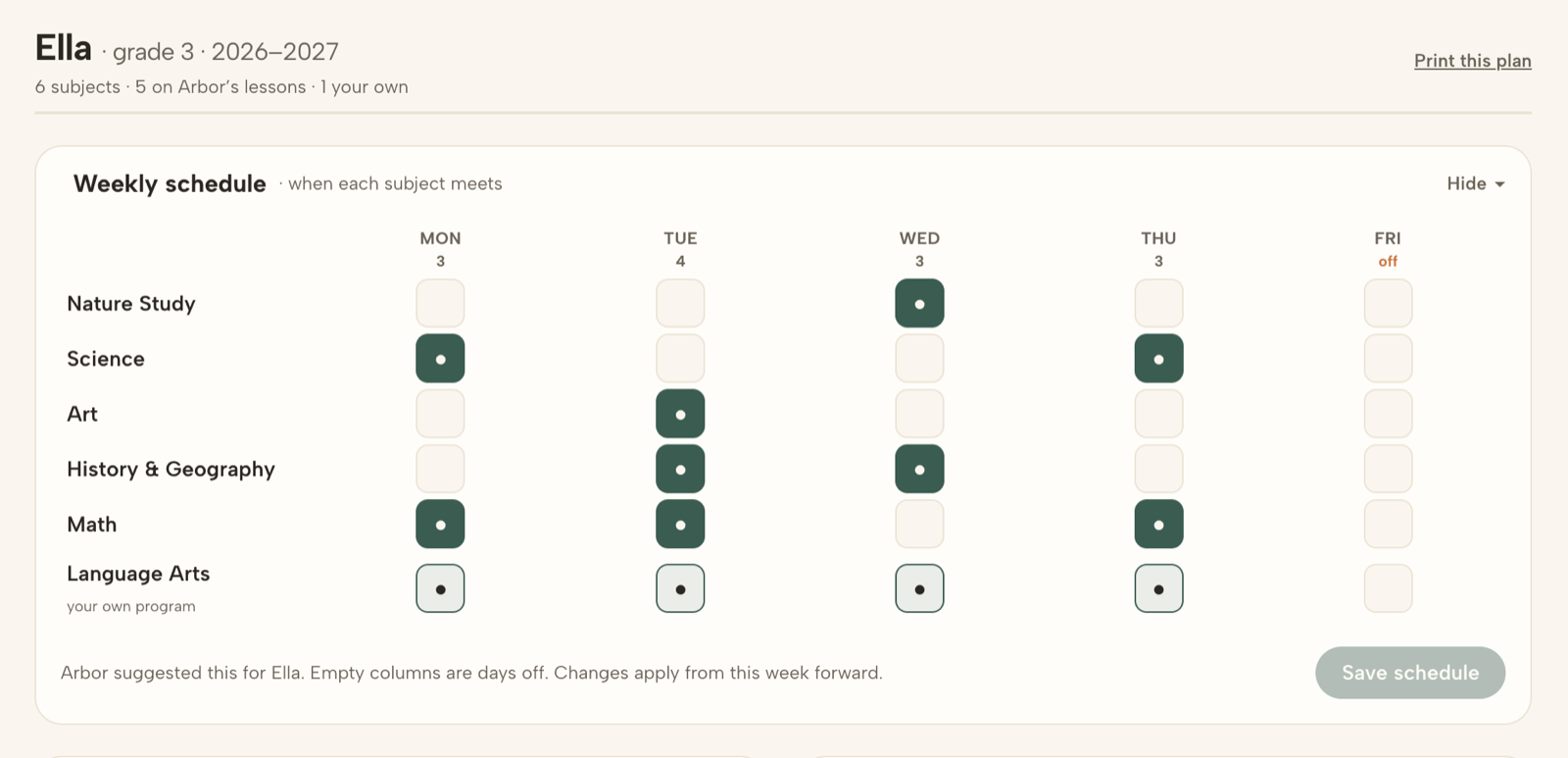
And which days each subject meets, including the ones you don't school. Arbor suggests a week to start from; the grid is yours to change, and it applies from this week forward.
ONCE, AT THE START
Why you're doing this, in your own words
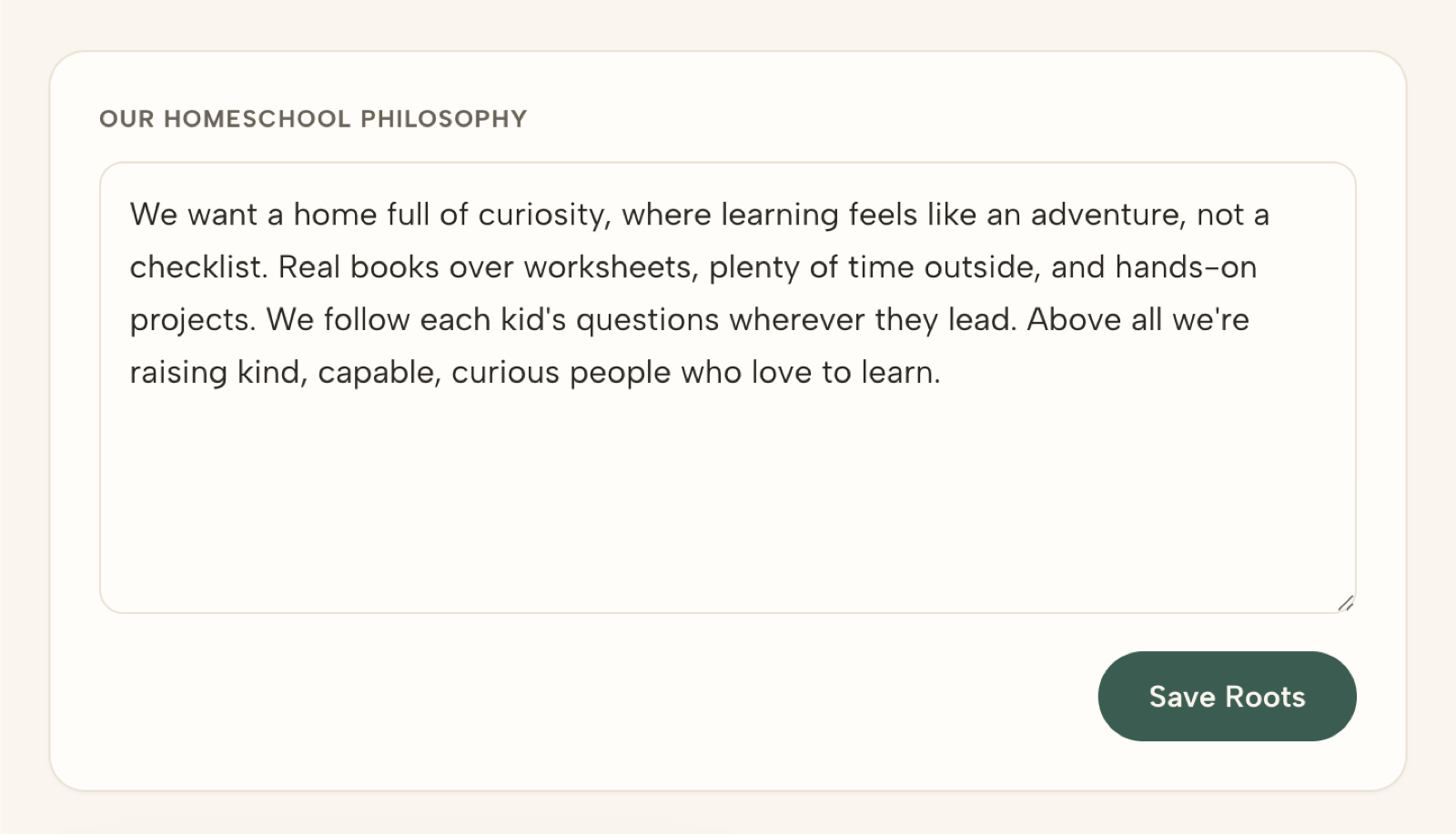
Arbor calls this your Roots. It is one box, and you write in it like you would tell a friend: real books over worksheets, plenty of time outside, follow the questions wherever they go.
It is not decoration. Every lesson Arbor writes after that is planned around it, and you can change it any week of the year.
ALL YEAR, WITHOUT YOU
The paperwork writes itself while you teach
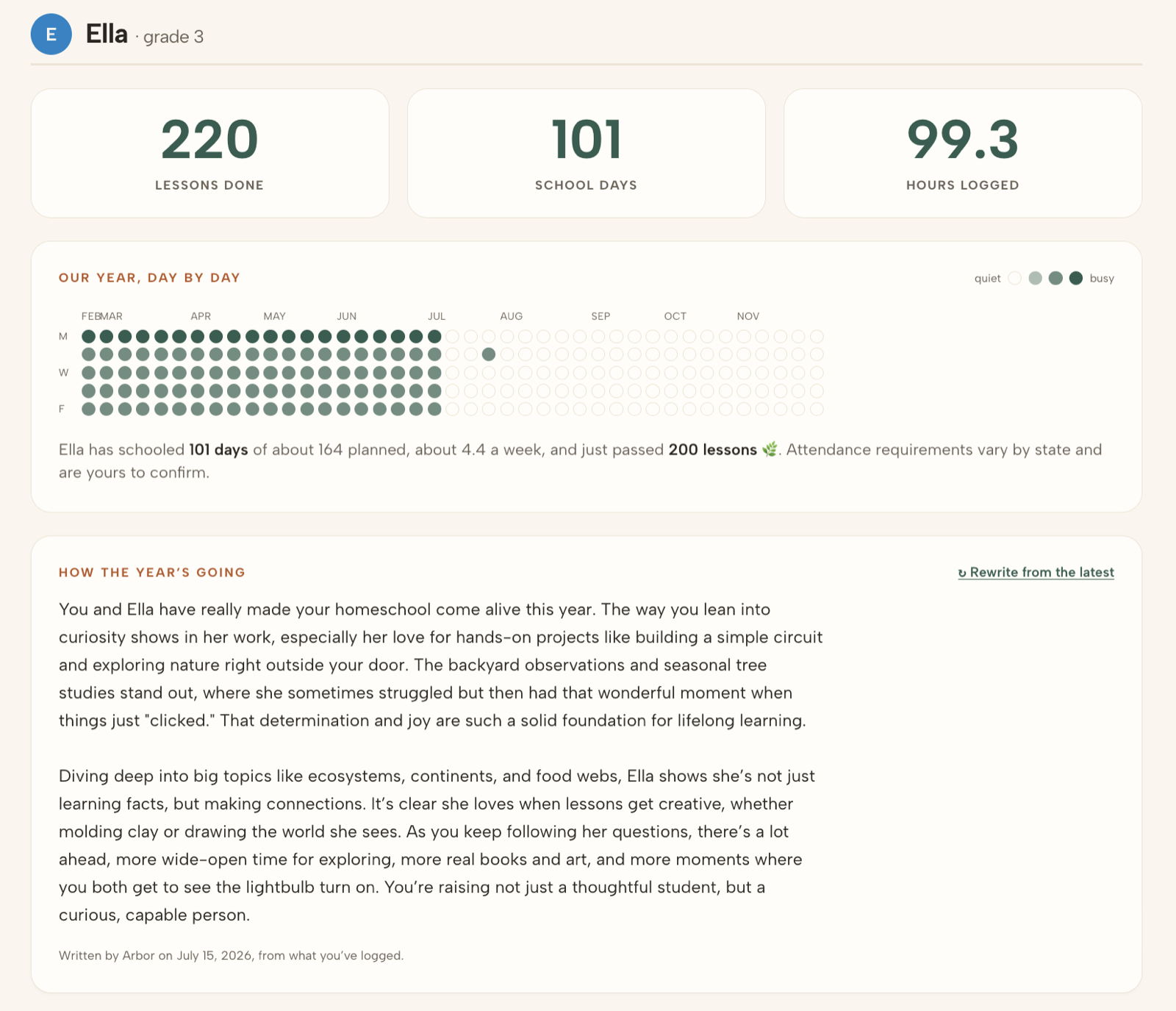
Marking a lesson done is the whole system. It logs the day, the minutes, and the score if there was one. From that you get lessons done, school days, hours by subject, how far through each subject you are, a year-at-a-glance calendar, and a record book you can print.
Arbor also writes you a plain-language summary of how the year is going, from what you logged rather than from what it planned. What your state requires is still yours to confirm, and Arbor never pretends otherwise.
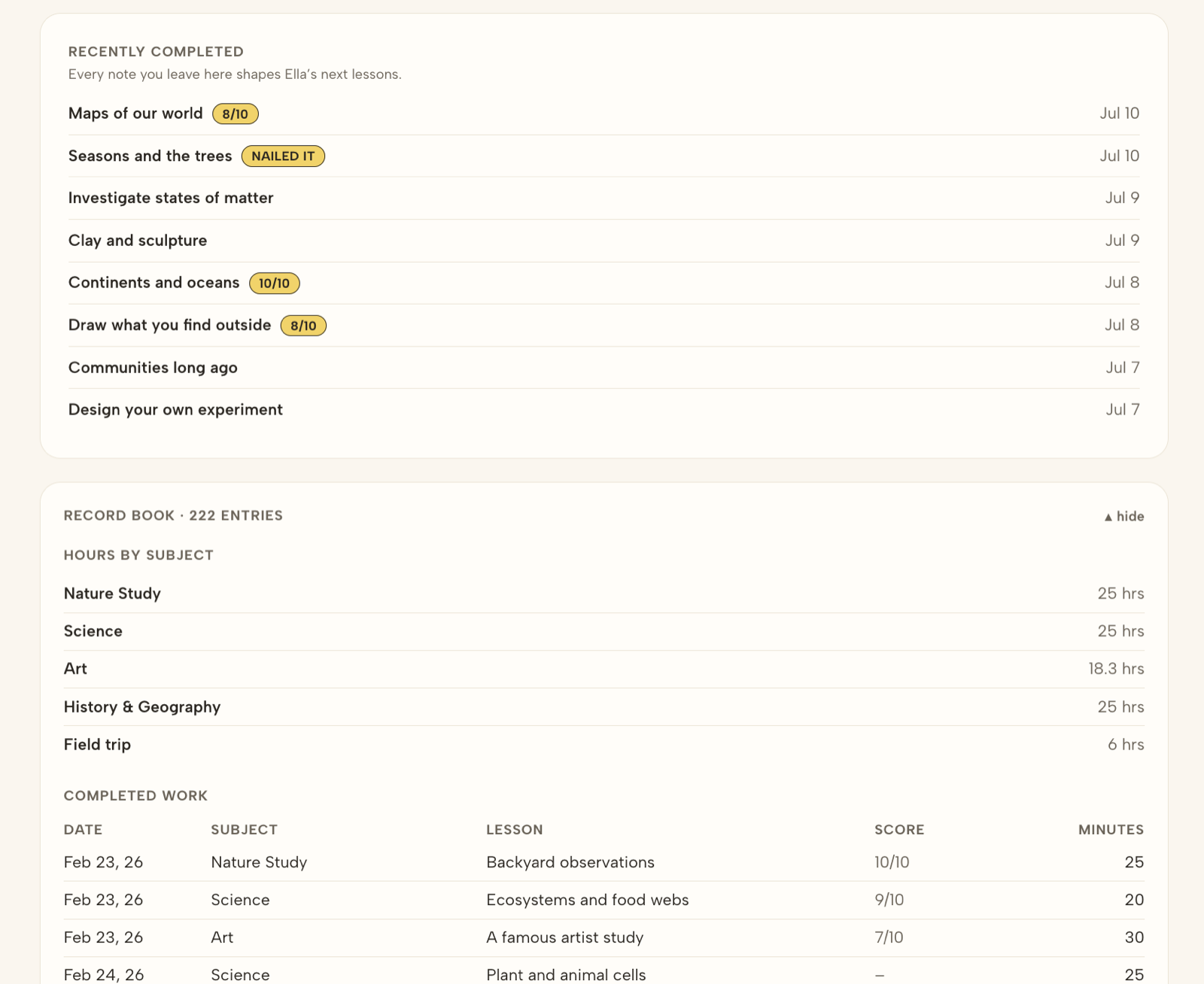
That table is the printable one. Nothing was typed into it.
AND WHAT’S INSIDE THEM
The lessons, in full, before you pay anything
A screenshot can show you the shape of a lesson. Whether it is worth teaching is a different question, so here are whole ones, start to finish, with their worksheets.
The fastest way to see it is with your own kids in it
Tell Arbor about your family and it builds the whole year while you wait. 14 days free, no card, and you can teach real lessons in the first ten minutes.